Your family, on the smart-home dashboard
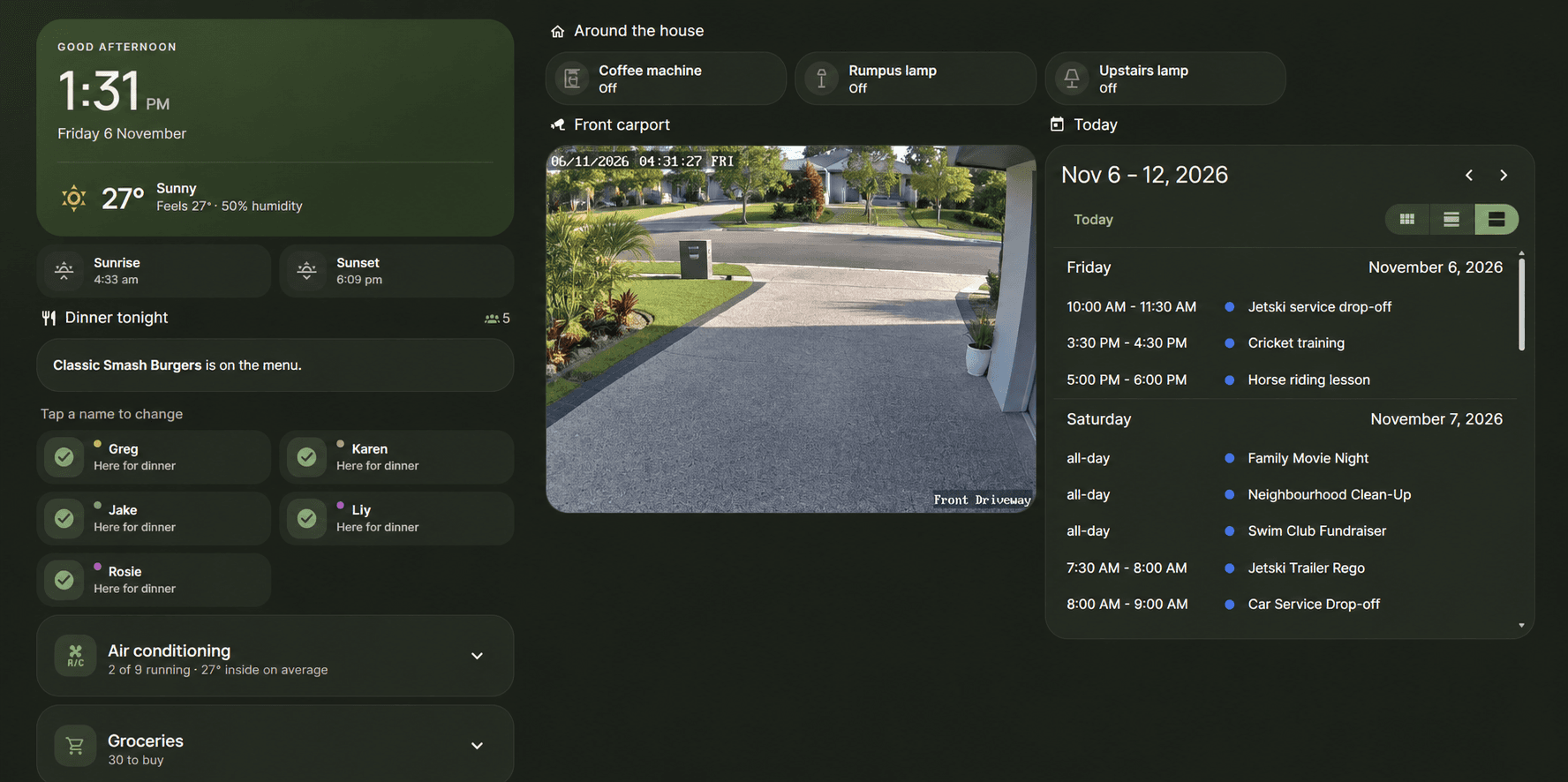
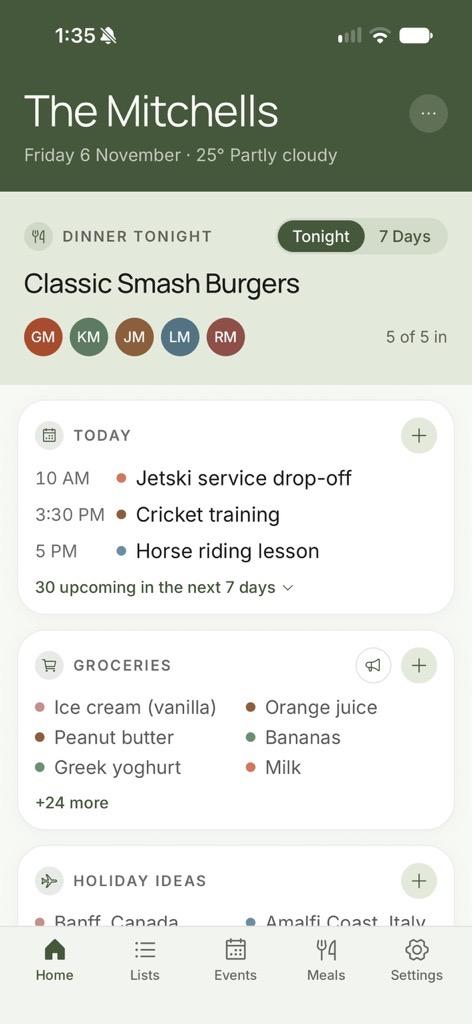
The calendar, tonight's dinner, who's eating in and the grocery list: the same family information that's on everyone's phone, now on the kitchen tablet next to the lights and the air-con. And because it lives in Home Assistant, your house can act on it too.
Same family, two screens
It's Friday at the Mitchells'. On the phone, FamFam says Classic Smash Burgers, all five in, and cricket training at 3:30. On the wall dashboard, Home Assistant says exactly the same, because both are reading the same family. Tick off the milk in the app and it's gone from the dashboard within a minute.
A calendar for every family member
Each person gets their own calendar in Home Assistant, alongside one for the whole family and one for the meal plan. Show just the kids' events on the kitchen screen, or everyone's, by toggling calendars on the card. Add an event from Home Assistant and it's on everyone's phone.
- A calendar for each person, in their FamFam colour
- A family calendar and a meal-plan calendar
- Add, edit and delete one-off events from Home Assistant
Who's home for dinner, as a sensor
FamFam's dinner check-in becomes something your house can act on. Everyone gets a “Home for dinner” sensor, and there's a headcount for tonight, so an automation can chase up the stragglers at four o'clock or read out the menu on the kitchen speaker.
- A home-for-dinner sensor for each person
- Tonight's meal and headcount, guests included
- A sensor that turns on once everyone has answered
- Check people in from a dashboard button or a script
Lists and shopping trips
Every FamFam list shows up as a Home Assistant to-do list, so you can add to the groceries from the dashboard or ask Assist to do it. A “Heading to the shops” button lets the family know you're going, just like it does in the app.
- Each list as a to-do list, aisle categories included
- Item counts for a “the list is getting long” nudge
- Heading to the shops button (FamFam Plus)
Ready-made automations
Six blueprints get you going without writing any YAML:
- Nudge whoever hasn't checked in for dinner yet
- Announce tonight's dinner and how many are eating
- Start a shopping trip when someone arrives at the shops
- Announce a trip, with a notification reply that adds an item to the list
- Get a heads-up when a list is getting long
- Send a notification or colour a light when there's an event tomorrow
Set up in a few minutes
Add FamFam to HACS as a custom repository, install it, then add the FamFam integration in Home Assistant. In the FamFam app, an organiser creates a token under Settings → Your Family → Connected services and pastes it in. One token covers the whole family, with no per-person passwords.
Revoke the token in the app at any time and Home Assistant loses access within a minute or so.
Setup guide and full entity list on GitHubThe integration works on the Free plan. Shopping trips need Plus, and only an organiser can create the token. Compare plans
There's more to FamFam
Got a question? Read the FAQ
Start with the app, then bring it home
Free on iPhone and Android. Plus is $2.99 a month if you need more, with a 14-day free trial.