A shared shopping list the whole family actually uses
Someone finishes the milk. Someone else is already at the shops. With FamFam, the list is on everyone's phone, it updates the moment anything changes, and it sorts itself into aisles so the shop takes one lap instead of three.
Add it the way you like
Type it, say it, or send it straight from a recipe. Every item shows who added it and when, so "who wanted the fancy cheese?" finally has an answer.
- Add items by voice or keyboard
- See who added each item, and when
- Tick items off together, in real time
- Print the list or send it to whoever's shopping
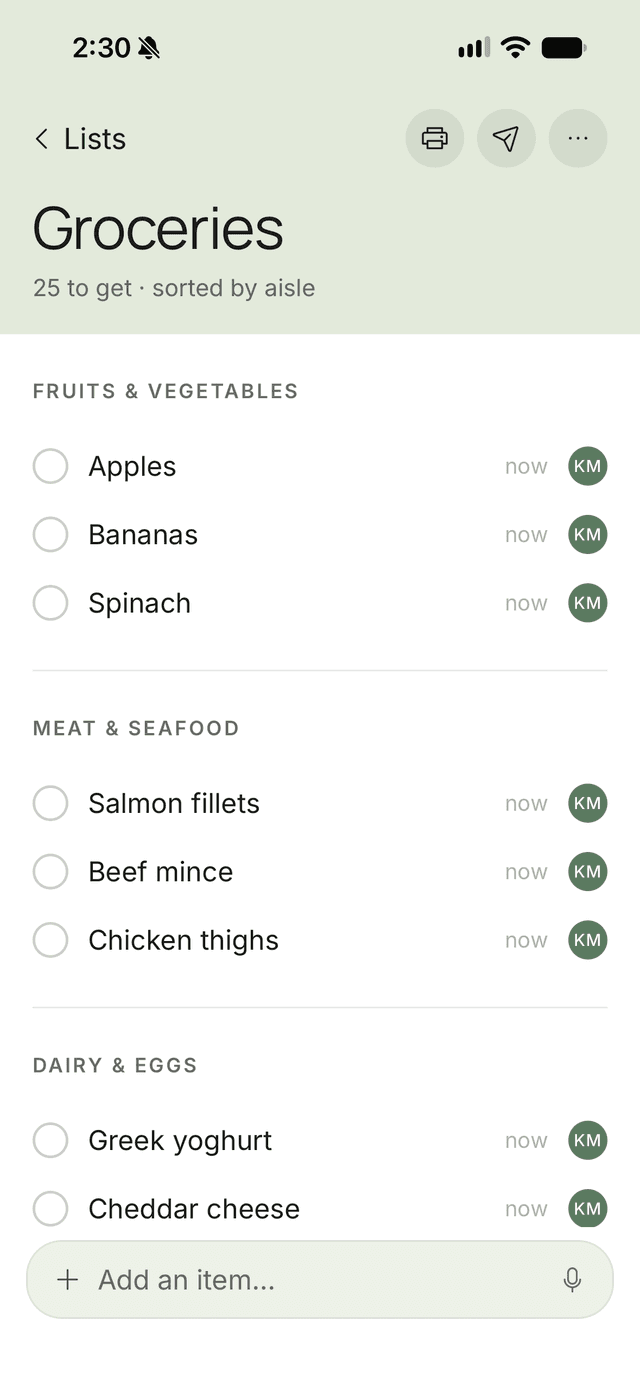
Sorted by aisle, automatically
FamFam's AI files each item into the right aisle as it's added: fruit and veg together, the cold stuff last. Drag the aisles into the order your supermarket uses, and the list follows you around the shop.
A list for everything
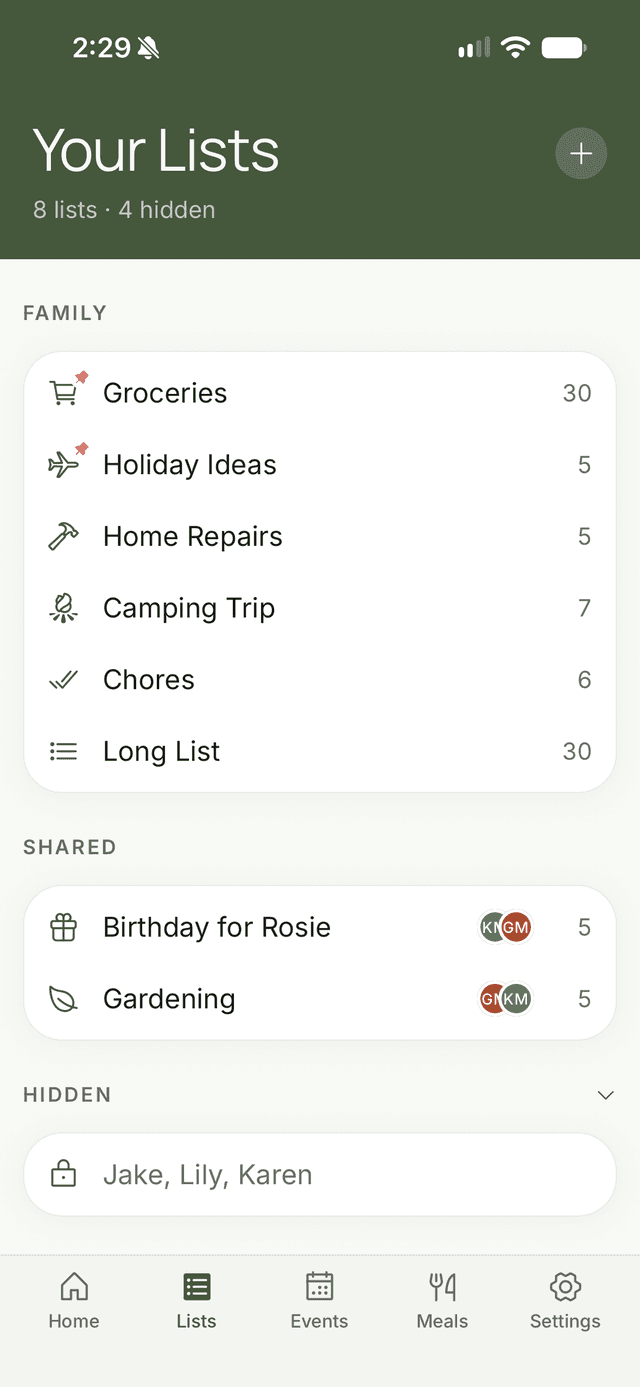
Groceries are just the start. Make a list for chores, the hardware run, gift ideas, the camping trip or school supplies. Give each one its own icon, and pin the ones you use most to the home screen.
Share a list with the whole family, with just the people who need it, or keep it private. Nobody else can open a private list, organisers included.
Heading to the shops?Plus
Tap Heading to the shops, say how long you'll be, and the family gets a notification. Anyone who remembers something can add it to the list before you get there.
The Free plan includes 3 lists of up to 20 items each. Plus allows 50 lists of up to 200 items. Compare plans
Start your family's shopping list
Free on iPhone and Android. Plus is $2.99 a month if you need more, with a 14-day free trial.