Plan dinner around who's actually home
When the kids are grown up but still living at home, "how many am I cooking for?" gets a different answer every night. FamFam's dinner check-in asks once, everyone taps in or out, and you cook for the right number of people.
Who's home for dinner?
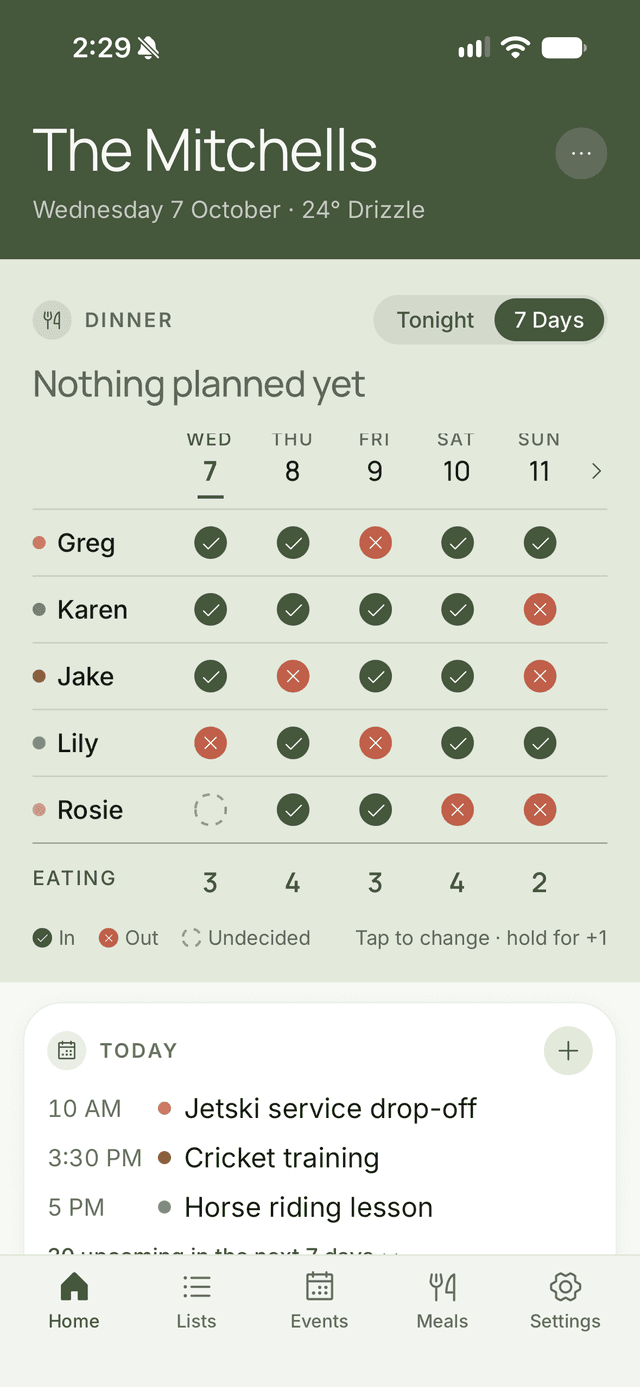
A simple grid for the next seven nights. Green tick: eating. Cross: out. Question mark: still deciding. Long-press to add a guest, because the new partner counts.
- One tap per person, per night
- Add guests with a long-press
- Organisers can check in younger kids or anyone who forgets
- See at a glance how many are eating in
Set your usual week once
If Mondays are always a no for the one who works late, set it once. FamFam fills in everyone's usual week every Sunday, and anyone can still change a night.
Plan the meals, pick the cook
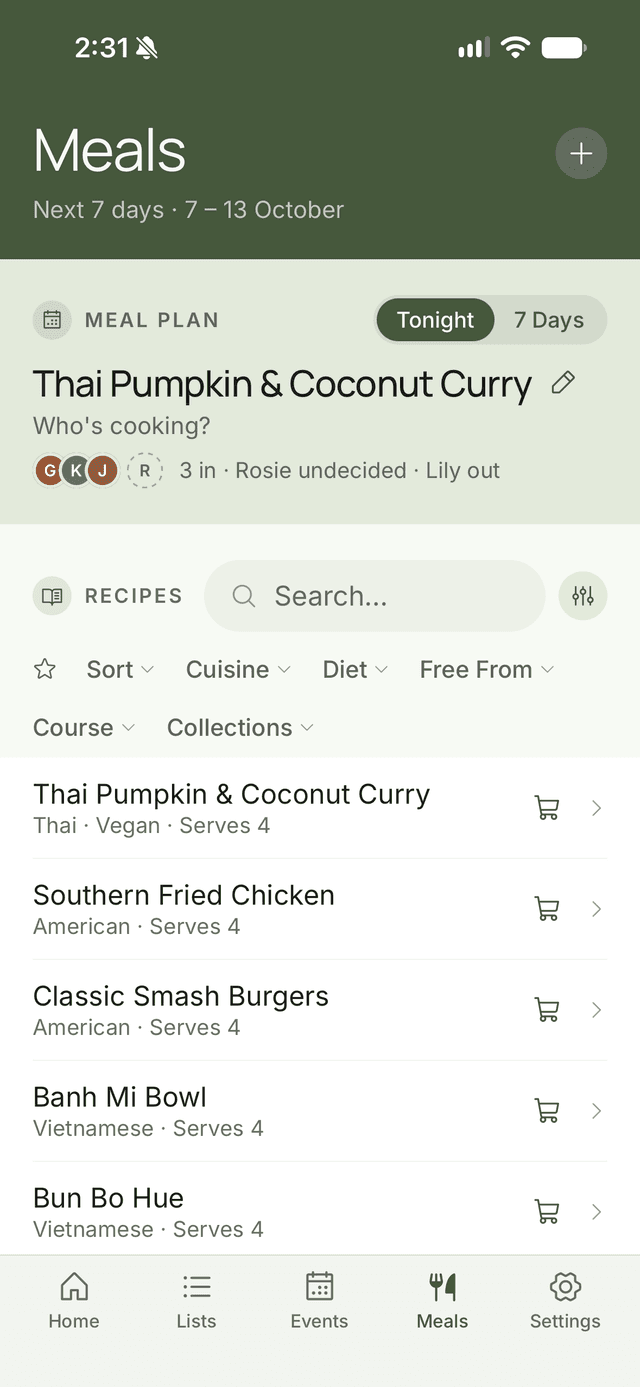
Put a meal on each night, link a recipe and choose who's cooking. Everyone can see the week at a glance, so nobody asks "what's for dinner?" at 5:30.
From meal plan to shopping list
Tap Shop for meals, pick the nights, and the ingredients from those recipes go straight onto the family grocery list.
A nudge before dinner
Organisers can set a daily reminder time, and anyone who hasn't checked in gets a gentle nudge.
The dinner check-in is included on every plan. Push notifications, including the dinner reminder, come with Plus. Compare plans
Find out who's home for dinner tonight
Free on iPhone and Android. Plus is $2.99 a month if you need more, with a 14-day free trial.